A Shader to Make Objects Disappear
A Unity surface shader that dissolves objects outward from a projectile's impact point, with the shader and test script available.
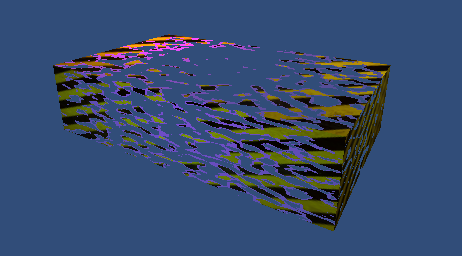
I wrote a small shader to make objects disappear in Unity. It started from a discussion about this video: https://www.youtube.com/watch?v=aDht3p5Gr3M. What bothered me there is that the objects vanish without taking into account where the projectiles hit them. So I reproduced the effect and made it spread outward from the impact point:
The idea is simple. When the object is clicked, a script stores the impact point in the material and animates a _Threshold value from 0 to 1. For each pixel, the shader computes a cutoff that starts at that threshold and decreases with the distance to the impact point, then compares it with a grayscale noise texture. Where the noise is below the cutoff, the pixel is discarded with clip; where it is well above, the pixel is drawn normally; in the thin band in between (controlled by _Bias), the pixel gets the edge color. The result is a ragged hole that grows from where the object was hit, with the noise giving it an organic, burning-paper edge.
Here are the sources, in case someone finds them useful:
- Shader: http://pastebin.com/mkqePw1F
- Test script: http://pastebin.com/k5GGVcLX
It’s a Unity surface shader, so the code can’t be used as-is outside that engine, but the same principle is easy to reproduce elsewhere. To get the same solid separation line as in the first video, use a flat color in the shader’s last branch instead of a gradient: