

Core Fantasy Arena: Learning the Core Engine with a Guild Wars Style Arena
A Guild Wars 1 inspired 4v4 arena prototype in Core: an 8-slot skill bar, energy with regeneration pips, tab targeting, server-side projectiles and a match manager, all in Lua.
Core Fantasy Arena is a prototype I have been building to learn Core, Manticore Games’ platform for making multiplayer games. The goal was a small arena game in the spirit of Guild Wars 1. The source is on GitHub: florian-noirbent/CoreFantasyArena.
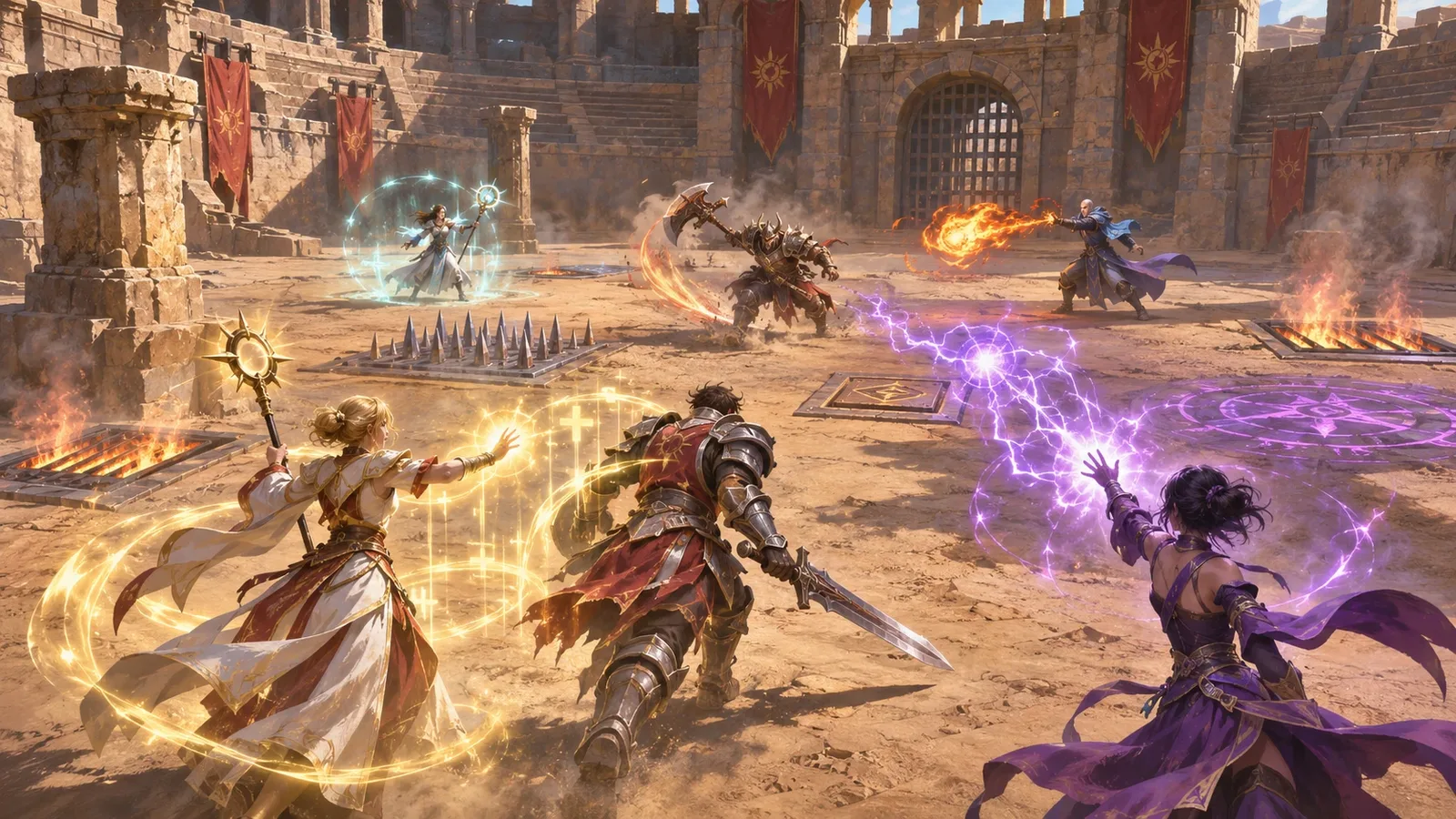
The kind of fight the arena is built for: two small teams of complementary classes, with healers, fighters and casters.
Why Core, and why Guild Wars
Core runs on Unreal Engine 4. You build games in its editor from a large library of ready-made assets, script them in Lua, and publish them straight to the Core platform, where they are played inside the Core client. It went into open alpha in March 2020 and early access in April 2021. What interested me is that multiplayer is not an add-on: every game is a client/server game from the start, and the engine forces you to decide where each piece of logic runs. I learn an engine faster by building something real with it than by reading its documentation, so I picked a game with real networking problems.
Guild Wars (ArenaNet, 2005) was an obvious candidate. Its combat is built on a few strict rules. Outside of combat you choose up to 8 skills, at most one of them elite, and that bar stays locked until you leave the combat zone. Most skills cost energy, which regenerates slowly. Regeneration and degeneration are shown as pips, little arrows on the health and energy bars, where one pip is one point every three seconds. Warrior-type skills use adrenaline instead, which builds up as you hit. Each character has a primary and an optional secondary profession. In PvP, Random Arena matches are four against four. The fun of the game comes from building the bar, not from executing it, and that makes it a good model for a networked game: there are few inputs, they are deliberate, and they are easy to validate on a server.
What the prototype contains
There are nine commits, from May 2021 to May 2022. Most of the code came in the first commit. The others add the skill bar animation, gear persistence, multiplayer fixes, damage, NPC death, and finally the match manager. There are about 1,600 lines of Lua in 25 scripts, plus Core templates and a scene with a terrain mockup, a walled arena, two training dummies with 100 hit points each, and a damage zone for testing.
The skill bar
The HUD has 8 skill slots, numbered 1 to 8 like in Guild Wars. Skills are Core Ability objects, and each one says which slot it belongs to with a SkillSlot custom property. When the ability is created on the local player’s client, it registers itself with the skill bar:
Task.Wait(0) -- wait next frame for ability owner init
if parentAbility.owner == Game.GetLocalPlayer() then
	skillBarClient.context.RegisterSkill(skillSlot, parentAbility)
end
The slot then follows the ability’s state machine. Core abilities go through the Ready, Cast, Execute, Recovery and Cooldown phases, and the slot gets a different color for each phase and a status overlay that shrinks as the phase runs out. This is the standard GW-style cast bar and recharge display, built from the engine’s own phase data.
The one big difference from Guild Wars is where skills come from. Here they belong to the equipment: equipping an item attaches its abilities to the player and fills their slots. The gear panel (key I) has slots for the head, shoulders, torso, legs, belt, and two main-hand/off-hand pairs, with a weapon swap button on T. Only one item exists so far, the fire wand. It has a single skill:
| Fireball | Value |
|---|---|
| Energy cost | 15 |
| Range | 3000 units |
| Cast time | 1 s |
| Recovery | 0.1 s |
| Cooldown | 3 s |
| Damage | 50 |
| Projectile speed | 2000 units/s |
Equipment choices are saved with Core’s shared player storage, so your gear is there when you come back. Each item is stored as a small integer ID instead of its full Core identifier, to keep the saved data small.
Energy and pips over a low-bandwidth network
This is the part I am happiest with. The players start with 30 out of 40 energy and regenerate 2 energy per second. Health and energy can change constantly through regeneration, damage over time and drains. Sending the new value to every client several times a second would be expensive. Instead, the server only sends the rate when it changes. Effects register a named source on the character’s manager:
function RegisterDamageSource(sourceId, value)
	damageSources[sourceId] = value
	OnDamageOverTimeUpdated()
end
The manager adds up all sources. When the total changes, it first applies the damage for the time elapsed at the old rate, then saves the new rate in a networked custom property. A server task applies the actual damage every 0.5 seconds using the real elapsed time, so the result does not depend on the task’s timing. The damage zone in the test level simply registers 5 damage per second when you enter it and removes it when you leave.
On the client, the progress bar uses the last known value and rate and predicts the value every frame, then corrects itself when the server sends a real value. The rate also controls the pips: one arrow for every 5 points per second, pointing right for regeneration and left for degeneration, up to 5 arrows each way. The bars move smoothly and show the trend at a glance, as in Guild Wars, and the network only sends data when something actually changes.
Targeting
Guild Wars is played with a target, not with an aim reticle, so I built a soft-targeting system. A trigger volume follows the player’s view. Every frame, the client checks every targetable character inside it and picks the one closest to the line of sight, measured as the perpendicular distance from the camera ray:
local targetViewAngle = math.acos(lookDirection .. targetDirection)
local distanceToViewNormal = distanceToTarget * math.tan(targetViewAngle)
Tab or W locks the current target. The target UI floats above the target, scales with distance, and shows its health bar. When the target changes, the client tells the server. Skills are always cast on the target the server knows about, never on a position the client sends.
Unavoidable projectiles
When Fireball is cast, the server checks that the caster has a target and enough energy, then takes the energy. On execute, it spawns a projectile. The projectile is not simulated physically. The server calculates the arrival time from the distance and speed, schedules the impact, and puts the arrival time on the network:
local distance = (target:GetWorldPosition() - startPosition).size
impactDelay = distance / velocity
arrivalTime = initialTime + impactDelay
script:SetNetworkedCustomProperty("ArrivalTime", arrivalTime)
impactTask = Task.Spawn(Impact, impactDelay)
Each client draws the flight itself. It moves the effect from the start point toward the target’s current position based on time, and adds a sine arc for a fake ballistic curve. The server never sends a position, so the effect stays smooth on every client at almost no cost.
Players and NPCs behind one interface
In Core, a Player has built-in hit points and damage handling, but there is no equivalent object for an NPC. My training dummies are networked scripts that copy the player’s API (ApplyDamage, IsDead, Die). A small factory wraps either one in a PlayerWrapper or an NpcWrapper with the same methods. This lets the character manager, the projectiles and the target UI handle both without checking which one they have. Every character gets a server-side CharacterManager, spawned and attached to it on join, which owns its energy, damage sources, equipment and target.
The arena match flow
The last commit adds ArenaMatchManager, the start of the actual game mode. Players join a red or a blue team, always the smaller one, and the round starts after an 8-second countdown once there are 8 players, which makes 4v4 matches. The countdown is cancelled if someone leaves. Players who join during a match wait for the next one. A round ends when one team has no living members, and after 8 seconds the game returns to the lobby. Several events are still TODOs, and the 30-second lobby timeout is defined but not used yet.
What Core taught me
- Think about context first. In Core, a script runs on the client, on the server, or on both, depending on where you put it in the hierarchy. I added
Clientto the names of client scripts and wrote “Server only” on the server methods, because Core does not stop you from calling the wrong side by mistake. - Send rates and events, not states. Networked custom properties and
Events.BroadcastToServerare the only ways to exchange data. That is what pushed me toward rate-based energy and time-based projectiles, and the result is better than a naive sync would have been. - Watch the initialization order. Many scripts contain a
Task.Wait()that waits for a networked reference or an owner to be ready. One comment explains that a task’srepeatIntervalhas to be set again on every call or it goes back to 0. These are the details you only learn by building something. - Templates are your data. Ability timings, costs and equipment slots are custom properties on templates. Balancing happens in the editor, not in the code.
Where it stands
The groundwork is done: characters, energy, targeting, equipment, one working skill, damage, and the match loop. The game itself is not there yet. There is one weapon and one skill, no professions, no adrenaline, line of sight and range are not checked, and NPCs are simply destroyed when they die. The next steps are clear from the code and its TODOs: more equipment and skills to fill the 8 slots, locking the gear during a match, finishing the match events and the UI, then adding professions to turn equipment choices into real builds.
Links
- Source code: github.com/florian-noirbent/CoreFantasyArena
- Game page: Core Fantasy Arena
- Core API documentation (Ability phases)
- Guild Wars Wiki: Skill and Pip
- Core on Wikipedia